
MIMS Account Self Reset Guide
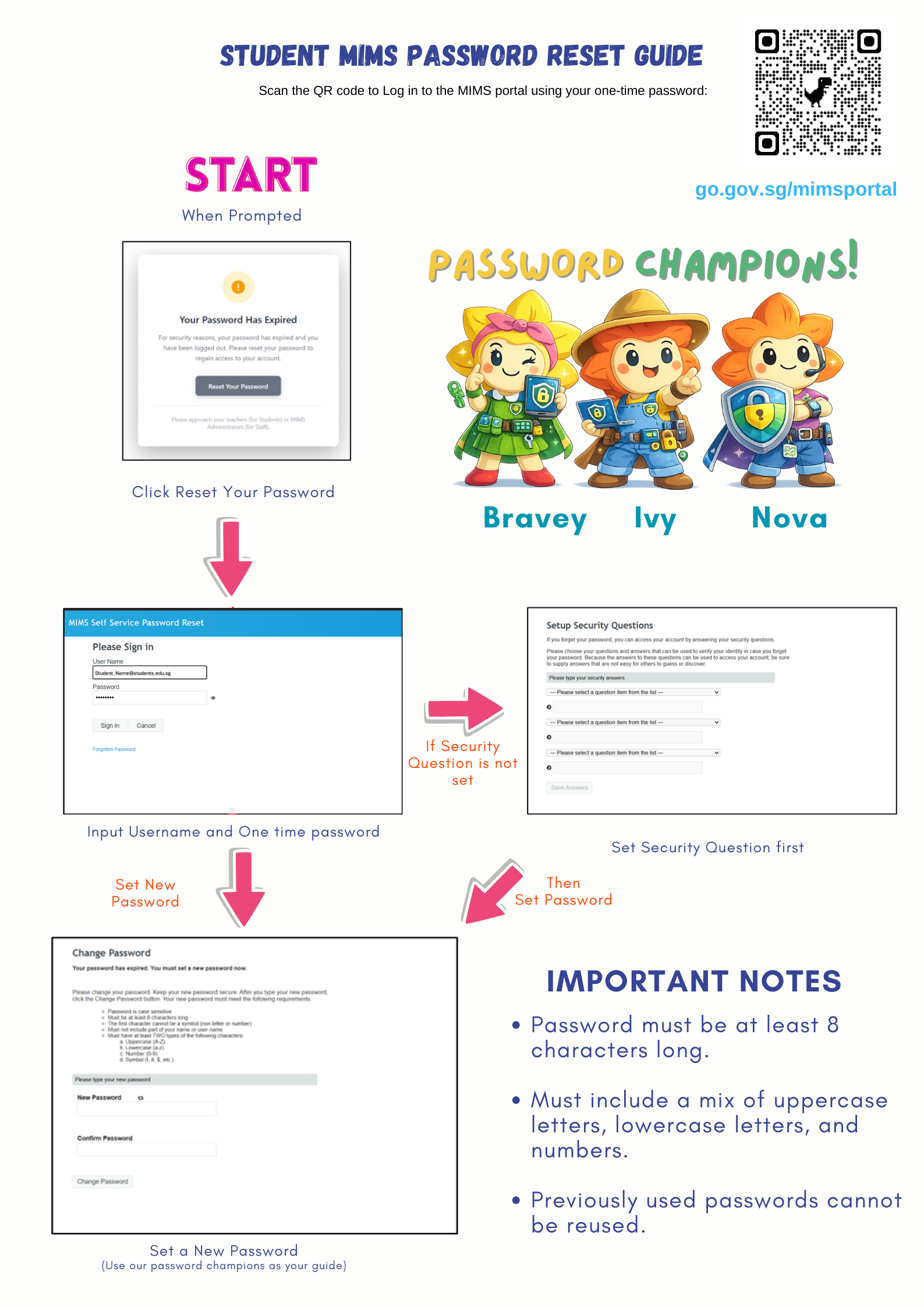
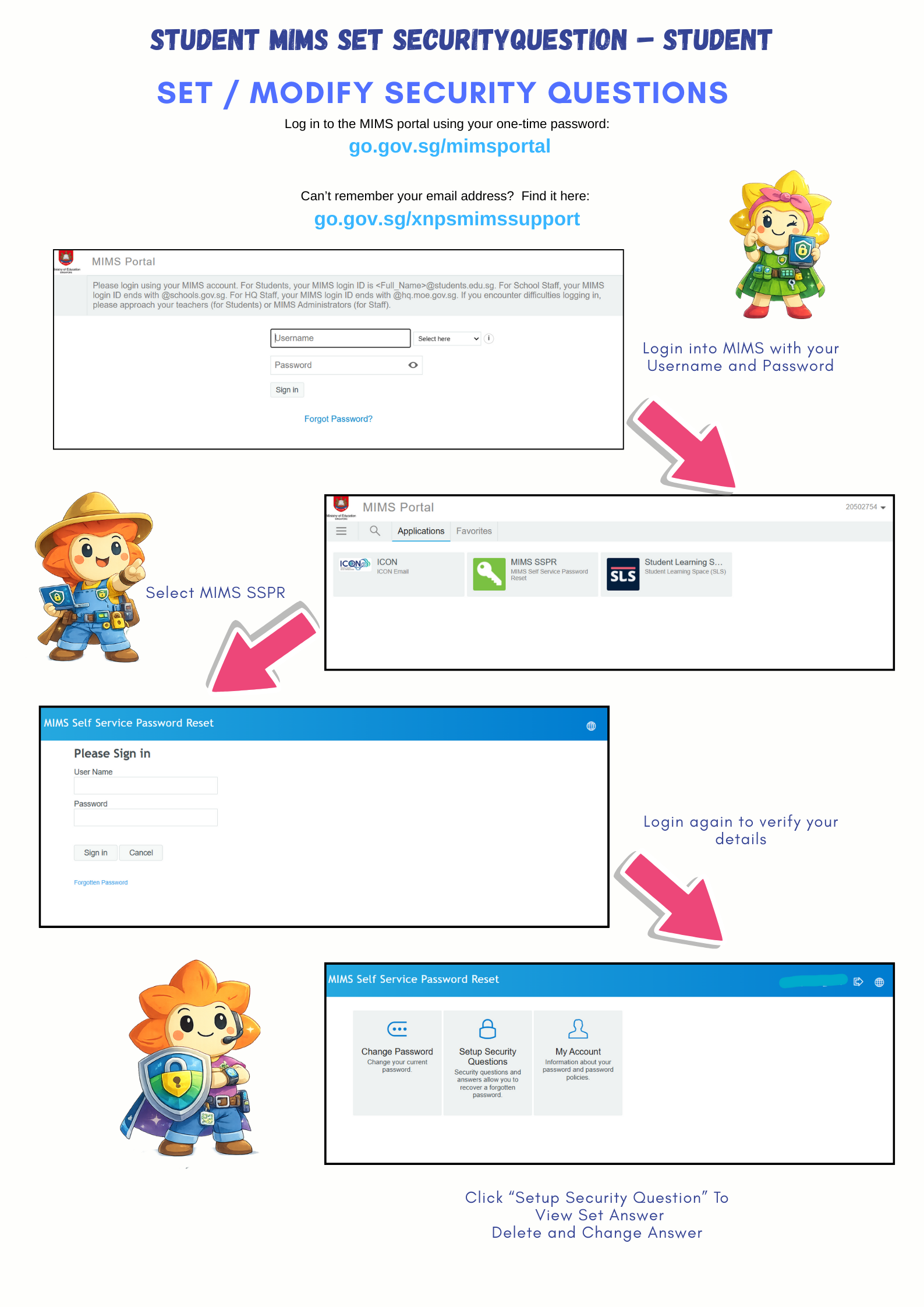
Set up your three security questions to reset your MIMS password on your own. Follow the guide below to get started.
Last updated on 20 July 2026
Dear Students,
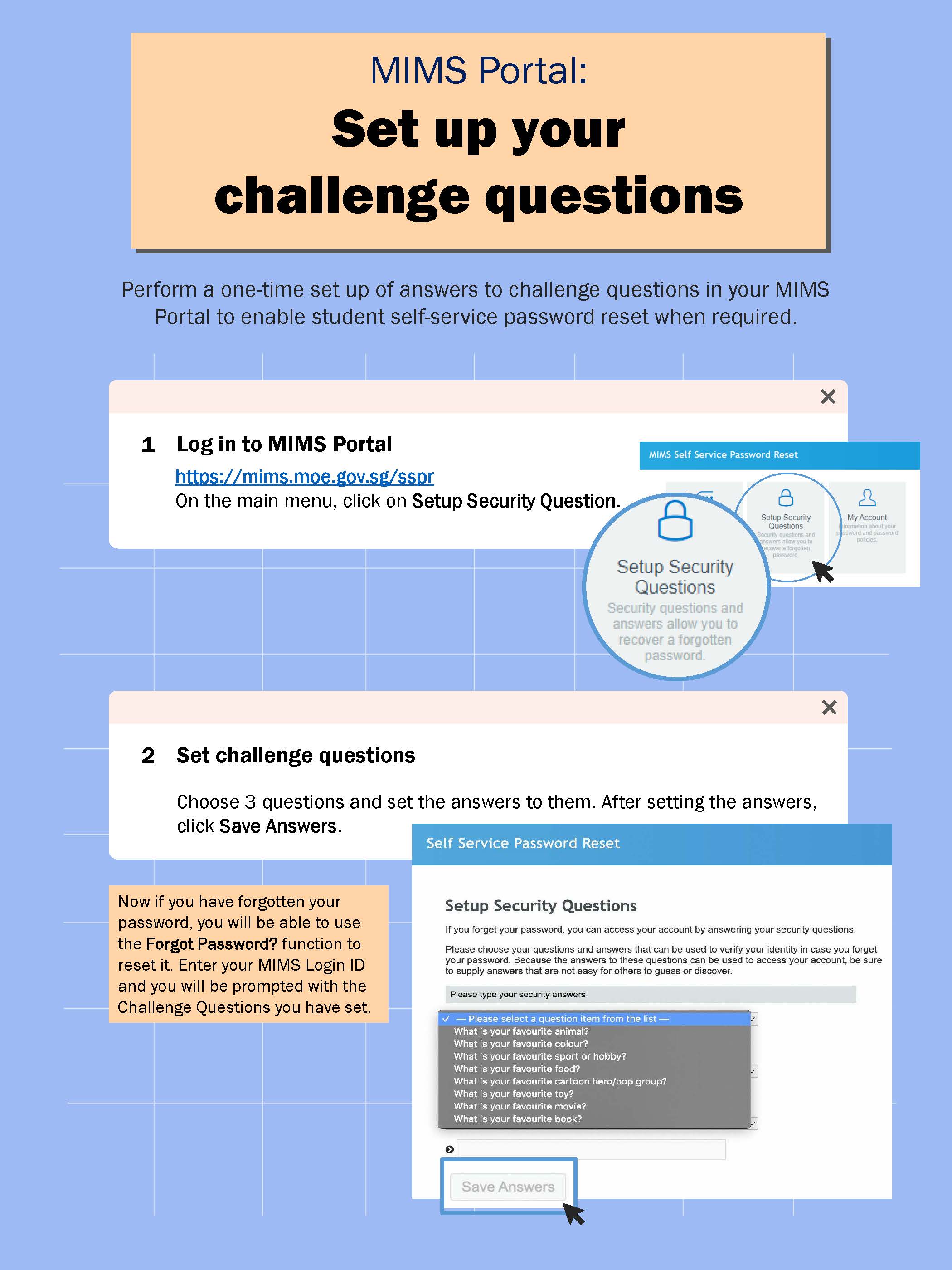
You can now reset your MIMS password yourself, but first, you need to set up the 3 security challenge questions.
Please follow the instructions below to perform a one-time set of 3 security challenge questions.
MOE RESOURCES
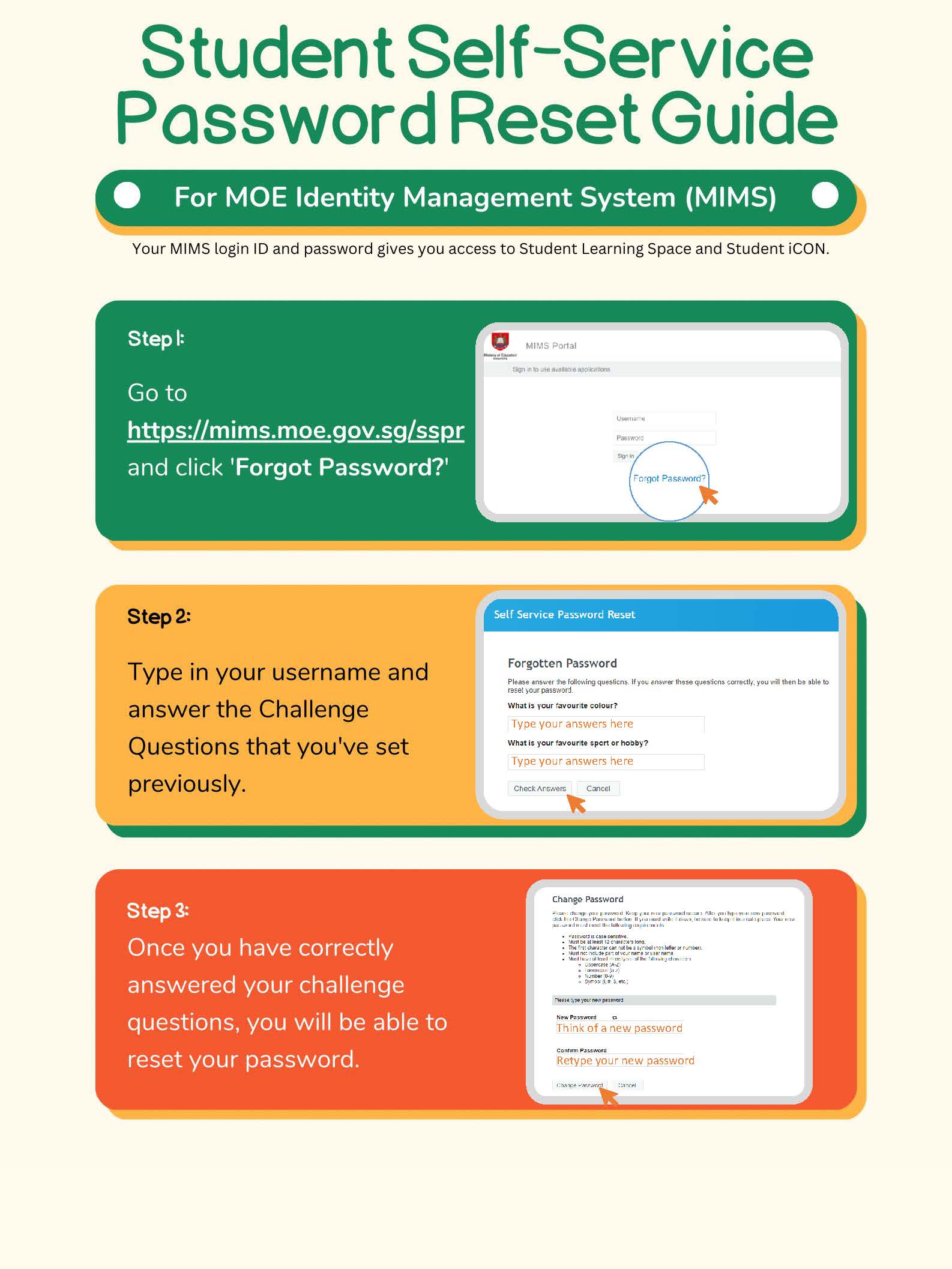
After setting the three security questions, you will be able to initiate a self-reset of your password using the "forget password" option on the MIMS portal. For detailed instructions, please refer to the guide below.
If you are unable to complete the set-up or if your MIMS account is locked, please contact your child's form teacher for assistance.